
When Windows 11 Updates Break Your Desktop — A Real Local Solution in the Belton & Temple TX Area

"When a forced Microsoft update turns your screen into a ghost town, don't hit the panic button and nuke your drive. Your files are still there—here is how we get them back in plain English."
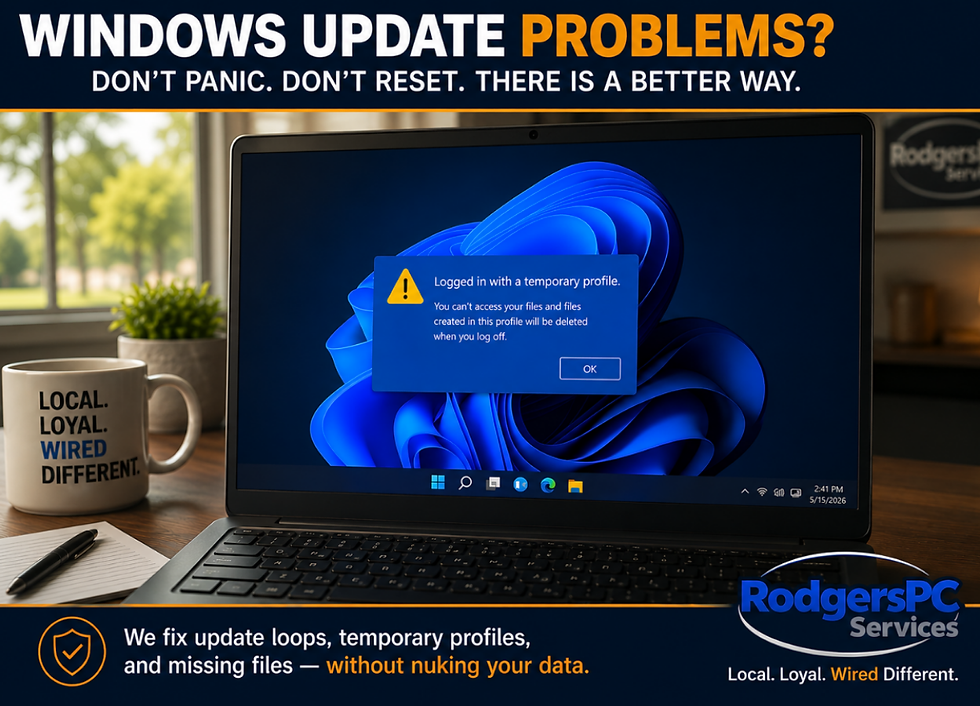
This is a known situation we see on the repair benches more often lately here at RodgersPC. You sit down at your desk, turn on your computer to check your morning emails or get some work done, and you’re greeted by a spinning wheel that says:
“Undoing changes made to your computer... Don't turn off your PC.” 🔄
Or worse, the system finally forces its way past the loading screen, but when you log in, your desktop background is default blue. Your shortcuts are gone. Your family photos, your documents, and your browser tabs have completely vanished. You are looking at a ghost town. 💀
Instantly, the panic sets in. You start thinking your hard drive died or a virus wiped your life’s work. 💸
If this just happened to you after a mandatory Windows 11 update package rolled out, take a deep breath. Do not hit the panic button, and definitely do not go chasing automated forum advice that tells you to factory reset your machine.
Your data is likely right where you left it, and your computer is stuck in a classic corrupted user profile trap.
📋 The Anatomy of a Broken Update Loop
When Microsoft pushes out large cumulative update packages, your operating system has to modify critical system files and rewrite parts of the Windows Registry during the reboot cycle. If that update process gets choked—whether due to a slight background software conflict, an unexpected driver hiccup, or a temporary system freeze—the installation fails mid-stream.
This usually leads to one of two real-world headaches:
The Infinite Undo Loop: Windows recognizes the update failed, so it attempts to roll itself back. But if the rollback files are also corrupted by the crash, the machine gets trapped in an endless cycle of booting, failing, trying to undo changes, and restarting all over again.
The Temporary Profile Trap 🔍: If the computer manages to force its way into the operating system despite a broken registry layout, Windows cannot read your actual user account keys. Because it can’t find your proper path, it panics and logs you into a temporary, completely blank profile.
When you are inside a temporary profile, it looks like a clean slate. It feels like everything was deleted. But in reality, Windows just hid your real user folder because it didn't know how to cleanly open the door to it.
🛠️ The "Wired Different" Way: Preservation Over Wiping
If you take a computer stuck in this state to a big-box retail service counter or post about it on generic tech forums, the standard cookie-cutter answer you will get is almost always: “Just reinstall Windows.”
To a lazy technician or a corporate middleman, nuking the drive is the easiest shortcut. They dump your files into a generic folder 🛒, wipe out your entire working environment, reset your apps, and hand you back a blank computer where you have to spend days re-configuring your passwords, printers, and settings.
At RodgersPC, we look at things completely different. A real victory on our bench isn't just making the computer turn on; it's preserving the customer’s working environment. 🧠
When a machine comes to our shop from the Belton or Temple area with a corrupted profile or an update loop, we don’t run away from the problem by wiping the system. We do our best to explain everything to you in plain English, not Geek Talk, and we address the root cause right here locally:
We manually intercept the update loop using specialized recovery environments.
We dive into the system registry to repair the broken account pointers.
We cleanly purge the specific corrupted update packages that caused the conflict in the first place.
Our goal is always to hand your computer back to you exactly the way you had it before the update broke it—with your desktop icons, your software packages, and your settings completely intact and untouched. 🙌
The Realist Bench Truth: What Happens If It Can't Be Repaired?
Let’s be completely real here: sometimes a Windows software architecture is so violently corrupted by a crashed update that it simply cannot be patched back together. Every now and then, we have to accept that a clean operating system reinstall is the only stable path forward.
But even when we hit our "this sucks" moment and have to reinstall Windows,
our process is still lightyears ahead of what standard checklist shops offer.
We don't just wipe your drive, hand you a blank computer, and wish you good luck, take your money, and tell you to have a good day–no!
Instead, we perform an intensive environment recovery by means of:
State-of-the-Art Migration Technology: We invest heavily in expensive, commercial enterprise technician licenses for state-of-the-art migration and deployment software. Where other shops give up, we use advanced automated pipelines to safely bridge your user environment, profile configurations, and deep file hierarchies straight over to the clean operating system. When a system is too severely corrupted for our specialized tooling to read, we don't pack it in—we pivot to our ultimate last resort: 100% brute-force manual reconstruction to pull your data out piece by piece.
Targeted Environment Preservation: We ensure your files, pictures, videos, and folders remain completely safe and are placed right back exactly where they belong so your desktop looks familiar once the clean Windows architecture is laid down.
Appdata & Profile Injection: We manually locate and inject your safe background application data. This allows us to rebuild your browser favorites, your local browsing history, and your saved passwords.
Software Reconstruction: If you had Google Chrome, Firefox, or Malwarebytes, we put them back on. If you had local Office apps, we install them back to your local drive.
Setting the Stage: We do the tedious baseline setup for you, working to reinstall your local printer configuration when we can and priming the system so all you have to do is sign back into your accounts and cloud services.
Our goal is to leave you with as little homework as humanly possible when you pick up your machine.
No Outsourcing. Record Turnaround Times.
We keep every single job right here on our local bench. Because we don't pack your computer into a box and ship it off to a third-party mystery warehouse, our efficiency is unmatched.
We routinely shoot for a 24 to 48-hour turnaround window, and very frequently, we can pull off same-day service. ⚡
Our official storefront doors are open Monday through Friday from 9 AM to 5 PM, and Saturdays from 9 AM to 1 PM. But if you want to know the true secret to how we operate, the work doesn't stop when the open sign turns off. I am usually at the bench by 8 AM and don't turn off the lights until 8 or 9 PM on weeknights. On Saturdays, I put in full days until 5 or 6 PM—working late after hours to get our neighbors' machines back into their hands as fast as possible.
I honestly don’t know any other computer repair company around that would even try to compete with the level of dedication we offer to our customers.
🏠 What To Do If Your Computer Gets Stuck
If your system is currently spinning on an update screen or warning you about a temporary profile right now, here is our honest advice from the bench:
Stop Restarting It Continuously: If the machine has spent three hours trying to "Undo changes," it isn't going to magically fix itself on the tenth reboot. Forcing continuous hard resets by holding the power button can eventually turn a simple software corruption into actual solid-state drive or hard drive file system damage. 🔥
Do Not Write New Data: If you are logged into a temporary profile, do not start downloading software 💾 or moving files onto that blank desktop. Anything you save inside a temporary Windows profile is completely volatile and can be automatically wiped clean the next time the system reboots.
Keep It Calm: A broken software update is incredibly frustrating, but it is entirely repairable, most of the time. Your files are almost always sitting safely in the background, waiting for a technician to rebuild the path back to them.
You don't have to navigate these forced update headaches alone or risk your data to generic automated resets.
If Windows 11 left you stranded this week, we are here to help. If you want the honest truth, come and see why Bell County and the surrounding areas trust and choose RodgersPC! 🚀
RodgersPC Tip 💡: Repeated restarts during update crashes can corrupt your system or damage your drive. Stop forcing it — have someone you trust check it early to avoid bigger issues and longer downtime.
Need Real Answers?
🏢 RodgersPC – Computer Repair & Sales
📍 511 Lake Rd Suite 104, Belton, TX
📞 254-613-3567
Local. Loyal. Wired Different.


Comments